Cinematic AI Videos
Build trailer-style scenes, short films, and concept videos with realistic motion and dynamic camera movement — without a film crew.
Turn text prompts or images into video clips with native audio and cinematic 4K quality — start with free Veo 3.1 AI Video Generator, no editing skills required.
Your generations will appear here
Describe a scene, a camera move, or a full story and Veo 3 turns it into a cinematic clip with matching native audio in seconds.
Cinematic AI Videos
Prompt
A POV time-freeze walk through a busy city street, with floating debris, frozen crowds, visible hands, and explosive time release.
Upload a photo, product shot, or character design and Veo 3 adds realistic motion while keeping faces, lighting, and style consistent.
Character Scenes
Reference images


Prompt
A stylish woman in a pink feathered dress walks along a sunny beach, with consistent identity, soft wind, and cinematic tracking.
Turn prompts and reference images into polished Veo 3 videos for creative, commercial, and creative projects.
Build trailer-style scenes, short films, and concept videos with realistic motion and dynamic camera movement — without a film crew.
Turn product ideas or reference images into polished video ads, launch clips, and commercial visuals for campaigns.
Generate portrait motion, character actions, stylized avatars, and story-driven scenes with consistent visual direction.
Create eye-catching Veo 3 videos for TikTok, Instagram Reels, and YouTube Shorts — from surreal scenes and playful animations to unexpected visual transformations.
Control how your Veo video starts, moves, sounds, and follows references.
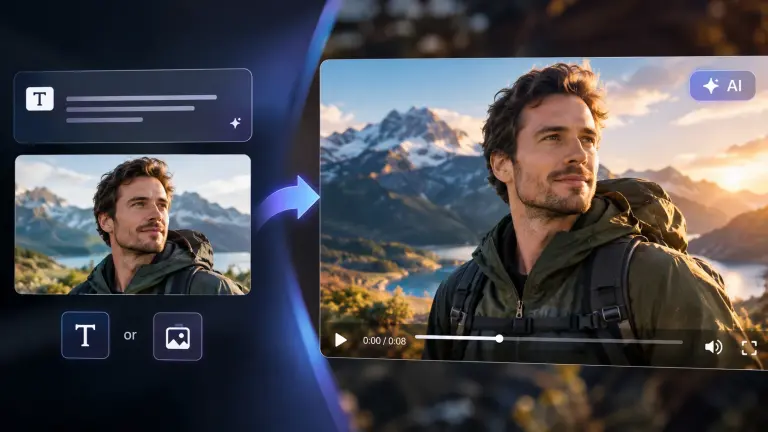
Start from a written prompt or a still image. This Veo 3 AI video generator supports both workflows, so you can create from whatever you already have. Describe a scene in plain language for text to video, or upload a photo, product shot, or concept art to animate it with image to video. Switch between the two at any time, and keep every generation inside the same workspace.
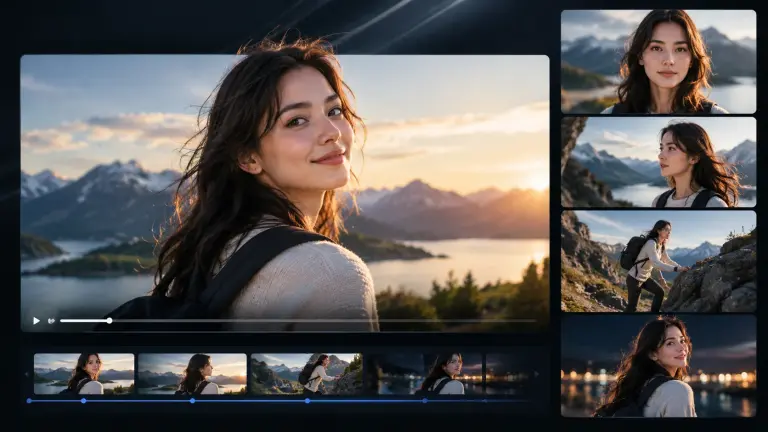
Veo 3 AI keeps faces, bodies, and scenes stable across shots, so characters look like the same person from the first frame to the last. Motion follows real-world physics instead of sliding or morphing, and lighting stays consistent when the camera moves. That consistency is what makes a Veo 3 video usable in a real project rather than a one-off demo clip.
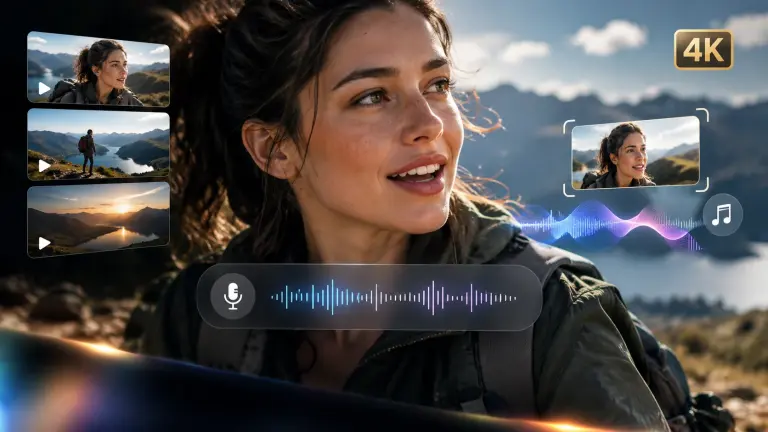
Veo 3 audio generates dialogue, sound effects, and ambient sound together with the visuals instead of adding them later. Speech lines up with mouth movement, background sound matches the scene, and music beds follow the pacing of each cut. The result exports in cinematic quality up to 4K, which removes an entire post-production step for creators publishing straight to social or ads.
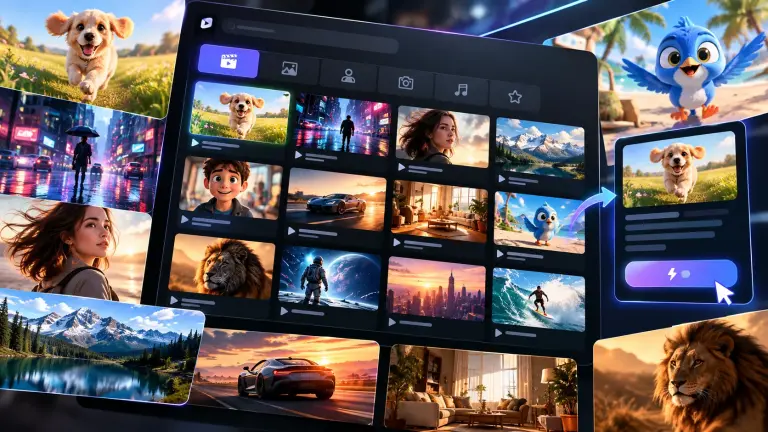
Skip the blank page. The built-in Veo 3 prompt library collects proven prompts and Veo 3 examples by scene, style, and camera move, so you start from a working recipe instead of writing from scratch. Open any example, load its prompt, and swap in your own subject — then edit it freely. It is the fastest way to learn what Veo 3.1 responds to.
Pick a model, add your inputs, and generate a Veo video in three steps.
Choose Veo 3.1, Veo 3, or Veo 2, then select Text to Video, Image to Video, Frames to Video, or Reference to Video.
Write a prompt, upload images, add first and last frames, or attach references based on the video mode you selected.
Choose the resolution, aspect ratio, and duration, then generate your Veo video and preview the final result.
Compare Veo 3.1 Fast, Quality, Lite, Veo 3, and Veo 2 by speed, quality, audio, and cost.
Balanced speed and quality
Best for final, high-fidelity clips
Lowest-cost Veo 3.1 option
Native audio video generation
Stable classic video generation
Veo 3 is Google DeepMind's AI video generation model. It creates short video clips from text prompts or images, and can generate native audio — dialogue, sound effects, and ambient sound — together with the visuals.
Veo 3.1 is the latest version of Google's Veo model. It improves prompt understanding, motion realism, and character consistency, and is offered in Quality, Fast, and Lite variants so you can balance output quality, speed, and cost.
Yes. You can start with free Veo 3 generations on veo-online.ai — no credit card required to try it. Free generations are limited, and you can continue with paid options when you need more volume or higher-priority rendering.
Veo 3.1 focuses on newer generation modes and higher control, Veo 3 is strong for native audio video generation, and Veo 2 is a stable classic model for reliable text-to-video results.
Yes. Veo 3 supports native audio generation when available, including ambience, sound effects, dialogue, and sound-led cinematic scenes.
Veo 3.1 can generate 4-second, 6-second, or 8-second videos. Higher resolutions such as 1080p or 4K, reference-image generation, and video extension usually require an 8-second output.
Go from a single prompt, image, frames, or references to a cinematic clip in seconds.